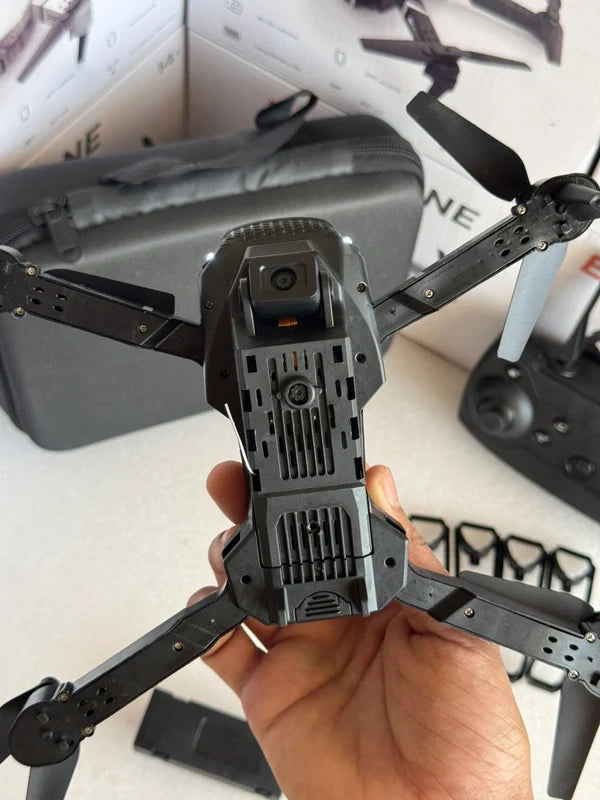
|
Model NO. |
E88 |
|
Fold Size |
12.5x8x5.5cm |
|
UnFold Size |
25x20x5.5cm |
|
Camera Resolution |
4K |
|
Flying Time |
20 minutes |
|
Remote Control Distance |
800-1200 meters |
|
Body Battery |
1800mAh Modular Battery |
The E88 drone comes with a convenient storage bag that neatly holds all the essential components. Inside the bag, you will find the drone itself, the joystick, necessary replacement parts, and accompanying instructions.
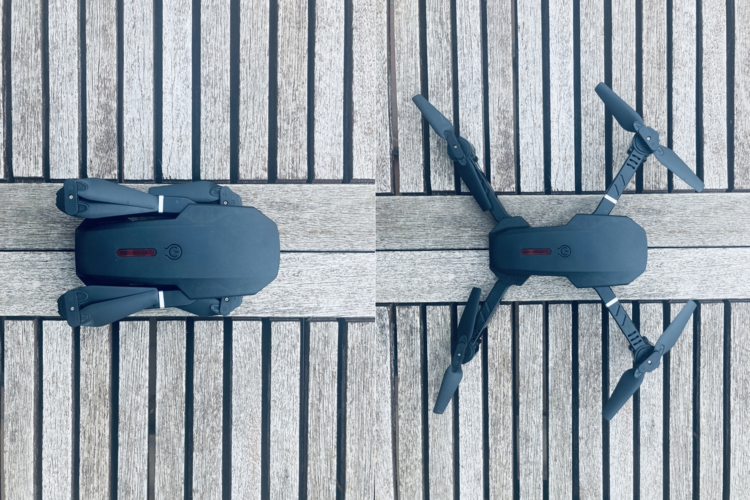
This drone is equipped with a folding body, allowing for easy transportation and storage. When folded, it becomes compact and portable, making it convenient to carry on outdoor adventures or trips. Additionally, the folding mechanism is sturdy, ensuring durability even with frequent folding and unfolding.
It is worth mentioning that you have the option to purchase additional batteries. This allows you to use spare batteries while the others are charging, eliminating the need to wait for a single battery to finish charging before you can continue flying.
Remote control joystick
The remote control of the e88 Pro Drone offers a highly intuitive and user-friendly experience. The joystick itself operates on a power source of three (3) AA batteries and provides the convenience of attaching your phone using the bottom support.
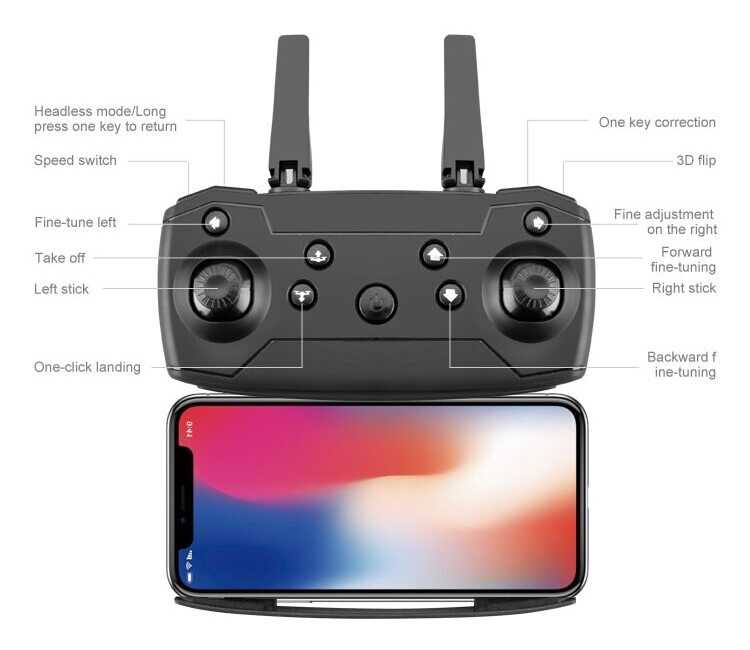
The image displayed above showcases the primary controls for operating the drone.
Connecting drone
Before connecting the drone, it is crucial to confirm that the battery is fully charged. To do so, use the provided wire to connect the battery to a USB port on your computer or another suitable power source. While charging, a red light will be illuminated, indicating that the battery is being charged. The red light will remain on until the battery reaches a full charge.
After ensuring that the battery is fully charged and inserted into the drone, proceed to follow the necessary steps to initiate the flight:
-
Unfold the drone body and then press the power button to activate it.
-
As the drone lights continue to blink, proceed to power on the joystick.
-
When the devices successfully pair, acoustic signal will be emitted, and the joystick's indicator light will turn red.
Now the drone is prepared and ready to take to the skies. Enjoy your flight and have a great time!
Real time video streaming
The E88 Pro drone provides a live video streaming feature that allows you to view real-time footage. To utilize this feature, it is necessary to download the official application from either the Android or Apple stores.
Ensure that your E88 drone is powered on and in a stable position.
-
In your phone settings, you will notice the appearance of a new WiFi connection, typically named something like "WIFI_XX_YYY". Connect to the mentioned network.
-
Once the application is successfully installed, open it.
-
Simply press the start button, and the drone camera will begin live streaming directly to your phone.
The application's user interface is designed to be straightforward. At the top of the screen, you will find various icons, each representing a specific functionality. Here is a breakdown of the functionality provided by each icon.
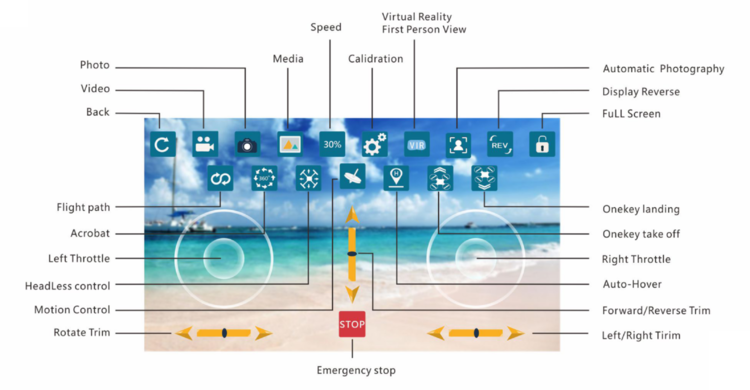
These icons allow an easy access to different features and settings within the application.
Conclusion
The E88 Pro Drone is a remarkable aerial companion that combines convenience, versatility, and advanced features. Whether you're an aspiring aerial photographer, an outdoor enthusiast, or simply someone looking to explore the world from above, this drone has you covered. With its folding body, protection racks, and camera options, the E88 Pro offers an exceptional flying experience that will leave you in awe of the possibilities it unlocks.